
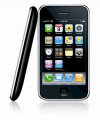
We are accepting iPhone 6 Unlock requests !
Permanently and “officially” Unlock any iPhone model by simply plugging it into your computer (Mac or PC) and running iTunes ! That simple, no jail breaking involved.
Note: This permanent iPhone unlock service is currently limited to the selection of carriers listed in the drop down above. That said, the service supports unlocking all base bands and iOS versions of all current iPhone models , including :
- iPhone (2G)
- iPhone 3G & 3Gs
- iPhone 4G &4 S
- iPhone 5/C/S
- iPhone 6
Note: The iPhone device must be activated and not blacklisted or reported as stolen.
Models and Basebands Supported:
Since this is an official iPhone factory unlock and makes no use of any type of unlocking software or any other jail breaking method that conducts a “patch” job on your iPhone’s iOS , we therefore support all base bands on all iPhone models , including:
- iPhone 6
- iPhone 5
- iPhone 4/S
- iPhone 3G/S
- iPhone (2G)
Will I have to Jailbreak My iPhone ? Will this break my Warranty ?
This is NOT a jailbreak solution, but rather an official factory unlock that is done through iTunes by having your iPhone’s IMEI registered as unlocked iPhone with Apple’s servers.
One of the implications is that your iPhone’s unlocked status will persist throughout any future iOS upgrades !
Your iPhone’s warranty is also unaffected since this is all done through Apple’s servers without modifying your phone’s software in anyway. Finally a true “Set it and forget it” iPhone unlock solution !
Do you support my Carrier ?
The list of carriers we currently support is provided in the drop down box above. Some popular networks we support include :
- Unlocking AT&T iPhones:All models of AT&T iPhone are supported for unlocking, including the iPhone 6.Yes we are still able and do accept At&t iPhone unlock orders ! See the video above uploaded by a client.The above video shows how easy it is to unlock an At&t iPhone 5 using our service. This video was shot and uploaded by an actual customer just like you.
- T-Mobile Germany iPhones :We currently are only able to Unlock T-Mobile Germany iPhones that are out of contract. Meaning you must have fulfilled your contractual obligation with your provider otherwise we will not be able to register your iPhone as unlocked.Please note this only applies to clients that have their iPhones locked to T-mobile in Germany. If in doubt please do contact us with your iPhone’s model and IMEI number BEFORE ordering and we will run a check for you.
- Unlocking Three (3) UK iPhones:All models of 3UK iPhones are supported for unlocking, including the iPhone 5 as the video below demonstrates:Again this video is by an actual client (Zirka K. , Thank you for uploading 🙂 ) and shows how easy and hassle free the process is when using our iPhone unlock service.
- Unlocking Rogers Iphone and Fido iPhones (Click the links to see videos)
- Unlocking Vodafone iPhones
- Unlocking 02 iPhones
- Unlocking 0range iPhones
..And many many more !
Can I modify my APN settings once the iPhone is unlocked?
Yes, you can modify the APN settings on your iPhone once it is unlocked, if the APN settings are not hidden. Certain network providers like AT&T hide the APN settings feature. However there are Free solutions around this, using applications. The free applications will force the APN settings to appear. Then you can modify the settings and start using your new carriers data service. You can search online on Google or Youtube for free steps on modifying your iPhone’s APN setting. You can also contact us and we will direct you towards a free solution.
Guaranteed ?
Of course ! We guarantee this service to unlock your iPhone or your full money back. That simple.


Clients that Trust us to get the job Done ... :
Uploaded by Michael Zimmer
Unlock code from GSMliberty.net for Apple iPhone 4s Amazingly fast service, it only took one day to receive the unlock code!
Uploaded by Željko Ratkić
After ordering iPhone 4 (locked to fido network from Canada) factory unlock,i received instructions with final steps of unlocking,as you can see in video.I would like to thank GSMLiberty.net team for quickly and efficiently responding to all my inquiries so i had very good support from them. GsmLiberty always updates your order status,so you know exactly what is happening with your order.They also have live chat for any question you want to ask.
Uploaded by Jerel Kim Laguardia
The team was very supportive and they responded to all my inquiries efficiently. Just provide your IMEI (dial #06# on your phone) and the Carrier where your phone is locked to. After purchasing, you will get a response right away. It was a great experience to unlock my iPhone with GSMLiberty.net Two thumbs up!
Uploaded by Maximilian Moebius
moved from Chile to Berlin and brought my iPhone with me. At first, I thought I was going to have the need to get a new one, which would have been very expensive here.. but then I found out about www.gsmliberty.com, which is a web page on which you can actually get your phone unlocked so you can use it with ANY CARRIER! The code that I bought there worked perfectly, and it only took them 3-5 days to deliver it. I totally recommend it! Just go into the webpage (www.gsmliberty.net/shop/) and follow three easy steps! 1. Choose manufacturer 2. Choose model 3. Choose phone carrier. After, you pay and then you get your unlock code without having to do anything else!