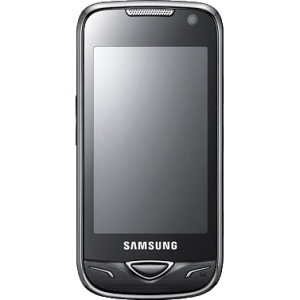
Samsung B7722 Unlock Codes
User Tool
- Back
- NCK is the Network Unlock Code. This is the one that will enable you to use your phone with any compatible GSM network.
- SPCK is the Service Provider Unlock Code. This one works if your phone is from Fido, the Canadian network.
- MCK is known as the Unfreeze Code. If you power on your phone with a non-accepted SIM card, you may get the message “Phone Freeze”.
- Insert an unaccepted SIM card in the phone. A message will appear asking for the unlock code.
- Enter the unlock code
- You’re done, the phone is unlocked !
- At the back of your phone behind the battery
- Or by dialing *#06#* while your phone is powered on it is a 15 digit number.

UNLOCK_CODE
Enter IMEI
Enter and select the appropriate information about your Samsung phone on the left side and we'll provide you an accurate price and delivery time frame for your unlock code
How it's Done
Is it true that I can unlock my Samsung B7722 with ‘unlock codes’?
Yes, absolutely. All Samsung phones, including your B7722 model can be unlocked. All you need are the unlock codes.
What are ‘unlock codes’? Is there a general unlock code for all Samsung phones?
An unlock code is generated using your phone’s IMEI number. It is used to unlock your phone. There are different types of codes:
What should I do if my Samsung B7722 has a Personal Identification Number (PIN)?
If there is a PIN (Personal Identification Number on your phone, you will need to disable it before using the unlock code.
How do I get the unlock codes? Do I order?
We will provide the unlock codes to you. Send us the unique IMEI number from your Samsung B7722 phone. We will find the unique code that matches your phone and email it back to you. You should receive an answer from us within 15 minutes or so.
How can I get the IMEI number of my Samsung B7722?
To obtain the IMEI number, type *#06# on your screen. The 15 digit IMEI number will appear. If you prefer you can find the IMEI number on the information label (you have to remove the battery to see the label.
What happens after I receive the unlock code for my Samsung B7722
When you receive the NCK (Network Unlock Code) simply dial that number. Your Samsung B7722 phone will then be ready to use with any compatible GSM network.
How do I go about the job myself?
The procedure is easy and you can do it with these simple steps:
Watch Video on How to Unlock your Samsung B7722 Unlock Codes
Unlocking FAQ
Ask us any question, we're here to help !
What does unlocking my mobile phone do for me?
This Samsung SIM unlock removes the carrier lock placed by many cell providers these days. Regardless which provider you bought your mobile phone from, once your phone is unlocked you can utilize your phone with ANY GSM service provider.
Is it Safe and will it work ?
Yes ! We guarantee it or your full money back.
Will this service "unfreeze" my Samsung phone ?
YES ! In addition to providing you with the NCK unlock code (Network unlock code) this Samsung unlock service will provide you with the Unfreeze Code necessary to unfreeze your phone if it's in "freeze mode"
How do i enter the unlock codes once recieved ?
It's as easy as dialing in a phone number, depending on your Samsung phone model detailed code entry instructions will be provided with the your unlock code once delivered. You can also access Samsung code entry instructions here.
Contact me when Code is Ready !
Unfortunately the IMEI you entered does not seem to have an unlock code registered in our Database, most likely because of it being a recently manufactured headset. If you wish you can supply us with your email address and we will shoot you off an email the moment your code is added and is available for purchase.
How do I get my IMEI number?
Your phone's IMEI (International Mobile Equipment Identity) number is an international "Serial number" for your phone to properly identify it.
Your IMEI can be found using the following methods :
NOTE: If your phone prints out more than 15 digits for your IMEI , please only supply us with the first 15 numeric digits the phone provides, no dashes or space. The remaining numbers are unimportant as they are just checksum numbers.
DO NOT SUPPLY THE IMEI LISTED ON THE OUTSIDE OF YOUR PHONES BOX AS IT CAN BE DIFFERENT THAN THAT OF THE PHONE IT SELF
Our Guarantess
By Unlocking your phone with GSMliberty you are guaranteed the following:
Service Money Back Guarantee
We guarantee you a reliable unlock service that will unlock your phone. If the service does not unlock your phone we will fully refund your payment, no questions asked.
Delivery Time Guarantee
We promise to deliver your unlock code within the time frame promised or your unlock is on us. That is you get the unlock code and your money back should we not deliver it within the timeframe stated.
Price Match Guarantee
We guarantee the price you pay will be the lowest for the service offered. If you manage to find a lower price offered anywhere else for this service, then call us Toll free: 866-537-6007 MON-FRI or email us at sales@gsmliberty.net , show us the lower price and we will be more than happy to beat or at least match the price you've been quoted else where !
Close or ESC key
Delivery method: Email
Your unlock code will be sent to your email via our automated system available 24 hours a day, 7 days a week !
Unlock Type: Unlock Codes
Remotely unlock your Samsung B7722 phone using guaranteed and safe to use unlock codes.You will not have to mail in your B7722 phone or run any software, you simply dial in the unlock codes provided (with instructions) through your phone's keypad and your phone is unlocked.

Analysing.. Please wait.


Clients that Trust us to get the job Done ... :
Comments
Phone locked to Fido Canada. Used Virgin Mobile Canada simcard to unlock. Unlock code received within 5 min. Took less than 1 minute to complete unlocking, big thank you to gsmliberty!!!
How to unlock Samsung S7550 Blue Earth.
Bell mobility Samsung S4 i337m unlocked thanks to GSMliberty.net